
Creating a relaxing home workspace is essential for improving productivity and maintaining a healthy work-life balance. When your work environment is comfortable, organized, and calming, it becomes easier to focus on tasks and reduce stress. Whether you work remotely full-time or occasionally use a home office, a thoughtfully designed workspace can make a significant difference in how efficiently you work and how good you feel while doing it.
In this post, we’ll explore practical tips to help you create a home workspace that promotes relaxation and productivity.
Why a Relaxing Workspace Matters
A cluttered or uncomfortable workspace can lead to distractions, tension, and lower motivation. On the flip side, a soothing and well-organized workspace helps you stay focused, feel calm, and maintain energy throughout the day.
Designing a workspace that supports both mental well-being and productivity can:
– Reduce feelings of stress and burnout
– Increase concentration and creativity
– Encourage better posture and comfort
– Make it easier to separate work life from personal life
Choose the Right Location
Consider Natural Light
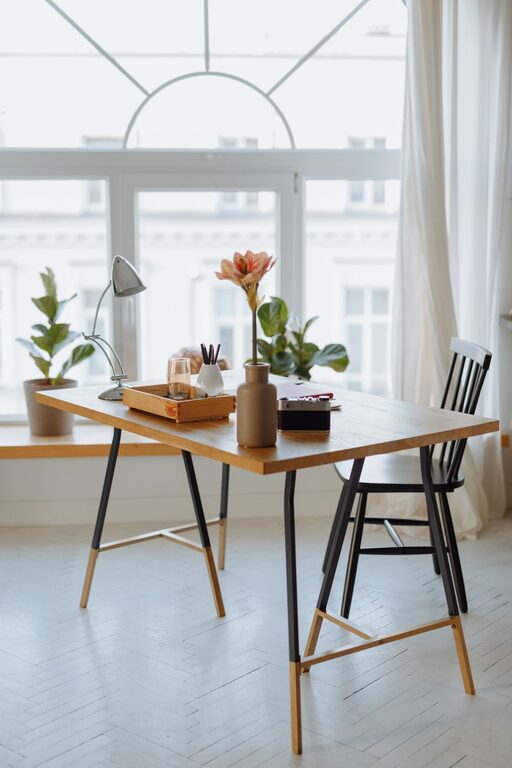
Position your workspace near a window if possible. Natural light boosts mood and alertness, and it can reduce eye strain. If natural light isn’t an option, invest in warm, adjustable lighting that mimics daylight.
Minimize Noise
Pick a quiet spot where distractions are limited. If background noise is unavoidable, consider using noise-canceling headphones or a white noise machine to help maintain focus.
Evaluate Space Needs
Choose an area that comfortably fits your desk, chair, and storage without feeling cramped. The space should make it easy to move around and stretch when needed.
Invest in Ergonomic Furniture
A comfortable, ergonomic setup supports your body and prevents discomfort that can distract you from work.
– Desk: Choose a desk with enough surface space for your computer, accessories, and any paperwork.
– Chair: Invest in a chair that supports your lower back and allows you to sit with feet flat on the floor and knees at a 90-degree angle.
– Adjustable Equipment: Consider monitor stands or adjustable keyboard trays to keep screens and wrists at comfortable heights.
Declutter and Organize Your Space
A tidy workspace helps clear your mind and improves focus. Here are some tips:
– Use drawers, shelves, or organizers to keep supplies out of sight but accessible.
– Keep only essential items on your desk.
– Regularly remove unnecessary papers, notes, and tools.
– Use cable management solutions to avoid tangled wires.
Add Personal and Calming Touches
Personalizing your workspace can make it more inviting and enjoyable to spend time in.
– Bring in plants: Greenery not only beautifies your space but also improves air quality and reduces stress.
– Use calming colors: Soft blues, greens, or neutrals create a relaxing atmosphere.
– Add soothing scents: Consider essential oil diffusers with scents like lavender or eucalyptus to promote calm.
– Display meaningful items: Photos, artwork, or inspirational quotes can boost motivation.
Set Boundaries and Routine
A relaxing workspace also depends on how you use it.
– Set work hours: Define clear start and end times to avoid overworking.
– Designate your workspace for work only: Avoid using your workspace for non-work activities to help separate work and relaxation zones.
– Take breaks: Stand up, stretch, or take a short walk regularly to refresh your mind and body.
Use Technology Wisely
Technology can streamline work but also cause distractions.
– Use apps or tools to block distracting websites during work hours.
– Keep personal phones away or on silent when focusing.
– Invest in quality headphones or speakers for video calls or background music that helps concentration.
Maintain Good Air Quality and Temperature
Comfort includes fresh air and a pleasant temperature.
– Open windows when possible or use an air purifier.
– Adjust room temperature to a comfortable level — neither too warm nor cold.
– Use a fan or heater as needed to maintain ideal comfort.
Create Inspiration Zones
If space allows, have a secondary area for creative thinking, brainstorming, or relaxation during breaks.
– A comfortable chair with good lighting
– Whiteboards or corkboards for jotting ideas
– A small shelf of books or motivational materials
Final Thoughts
Creating a relaxing home workspace is about more than just aesthetics. When you design your workspace to support comfort, reduce distractions, and reflect your personality, you set the stage for higher productivity and better mental well-being. Start by choosing the right location, investing in ergonomic furniture, and organizing your supplies. Add personal touches and establish clear routines. With these steps, your home workspace can become a place where you enjoy working and accomplish your best.
Remember, your workspace should evolve as your needs change, so feel free to adjust it periodically for continued comfort and productivity.
About the Author